Top 10 SEO Tools Digital Marketers Rely On
The top 10 SEO tools digital marketers rely on in 2026, each mapped to one of the five workflow stations, with persona stacks and a quick-start audit.

Most "top 10 SEO tools" lists tell you what to buy. They almost never tell you where each tool sits in your workflow. So marketers end up with three keyword tools, two rank trackers, and a crawler nobody opens. That is wasted money.
Here is the thing. There are only five jobs an SEO program has to do every month: Discover what to write, write a Brief, Draft and optimize the page, Crawl the site for technical breaks, and Measure what moved. Every tool below maps to one of those five jobs. Cover all five, no duplicates, and stop shopping.
This guide gives you the top 10 SEO tools digital marketers actually use, the station each one belongs to, a 3-step "Monday morning" how-to, and three full stacks for solo creators, in-house teams, and agencies.
How we selected and evaluated these tools

Selection bar: each tool had to be used by at least three of the top-ranking lists for "best SEO tools 2026" across multiple practitioner reviews, and had to map cleanly to one of the five pipeline stations. We dropped overlapping mid-tier suites and kept the tools that own their station.
Each tool was scored on five things:
- Data quality. Does the index reflect what Google actually shows? Ahrefs and Semrush continue to lead third-party index coverage.
- Station fit. Does the tool do one job well, or try to do four?
- Workflow speed. From "I have a keyword" to "I have a brief" in under 10 minutes.
- Price to value. Will a small team get back at least the subscription in saved time?
- Integrations. Does it hand off cleanly to the next station — CMS, analytics, or a content brief tool?
A note on year-based queries. Searchers type "top 10 SEO tools 2022," "2024," "2025." Older lists rank because nobody refreshes them. The tools below were re-checked in 2026 against current pricing and feature pages.
Top 10 SEO tools digital marketers rely on (with their pipeline station)
Here is the full list. Read the station beside each tool. If two tools share a station in your stack, one of them is waste.
- Google Search Console — Station: Measure. Free. The ground truth for clicks, impressions, and which queries Google already sees you for (Google Search Central). Pro: Google’s own data. Con: no competitor view.
- Ahrefs — Station: Discover. Paid. Keyword, backlink, and competitor research at deep coverage. Pro: best-in-class backlink index. Con: starts at $129/mo (Ahrefs pricing).
- Semrush — Station: Discover. Paid. Direct Ahrefs alternative with strong PPC overlap for marketers who run ads too. Pro: broad SERP feature data. Con: same price tier as Ahrefs (Semrush pricing).
- Google Keyword Planner — Station: Discover. Free with an active Google Ads account (Google Ads). Pro: volume from Google. Con: bucketed ranges, not exact.
- VarynForge — Station: Brief. Turns a seed keyword into a clustered, intent-tagged content plan with writer-ready briefs. See the VarynForge features page for the workflow. Pro: collapses Discover → Brief into one pass. Con: focused on planning, not on-page editing.
- Surfer SEO — Station: Draft. In-doc content editor that grades a draft against the top-ranking pages for your target query. Pro: real-time score as you write. Con: best results with a Discover tool feeding it.
- Screaming Frog — Station: Crawl. Desktop crawler that scans up to 500 URLs free, unlimited on the paid tier (Screaming Frog). Pro: surfaces broken links, redirect chains, missing tags. Con: not cloud-native.
- Yoast SEO (or Rank Math) for WordPress — Station: Draft. Free plugin that handles meta tags, schema, and on-page checks at publish time. Pro: stops shipping broken meta. Con: WordPress-only.
- AnswerThePublic — Station: Discover. Free tier surfaces question and preposition variants around a seed term. Pro: fast FAQ ideation. Con: limited free searches per day.
- Google Analytics 4 — Station: Measure. Free. Pairs with Search Console for the after-the-click side: sessions, conversions, revenue per landing page (Google Analytics for developers). Pro: ties traffic to money. Con: setup learning curve.
All-in-one SEO suites: when one tool covers two stations
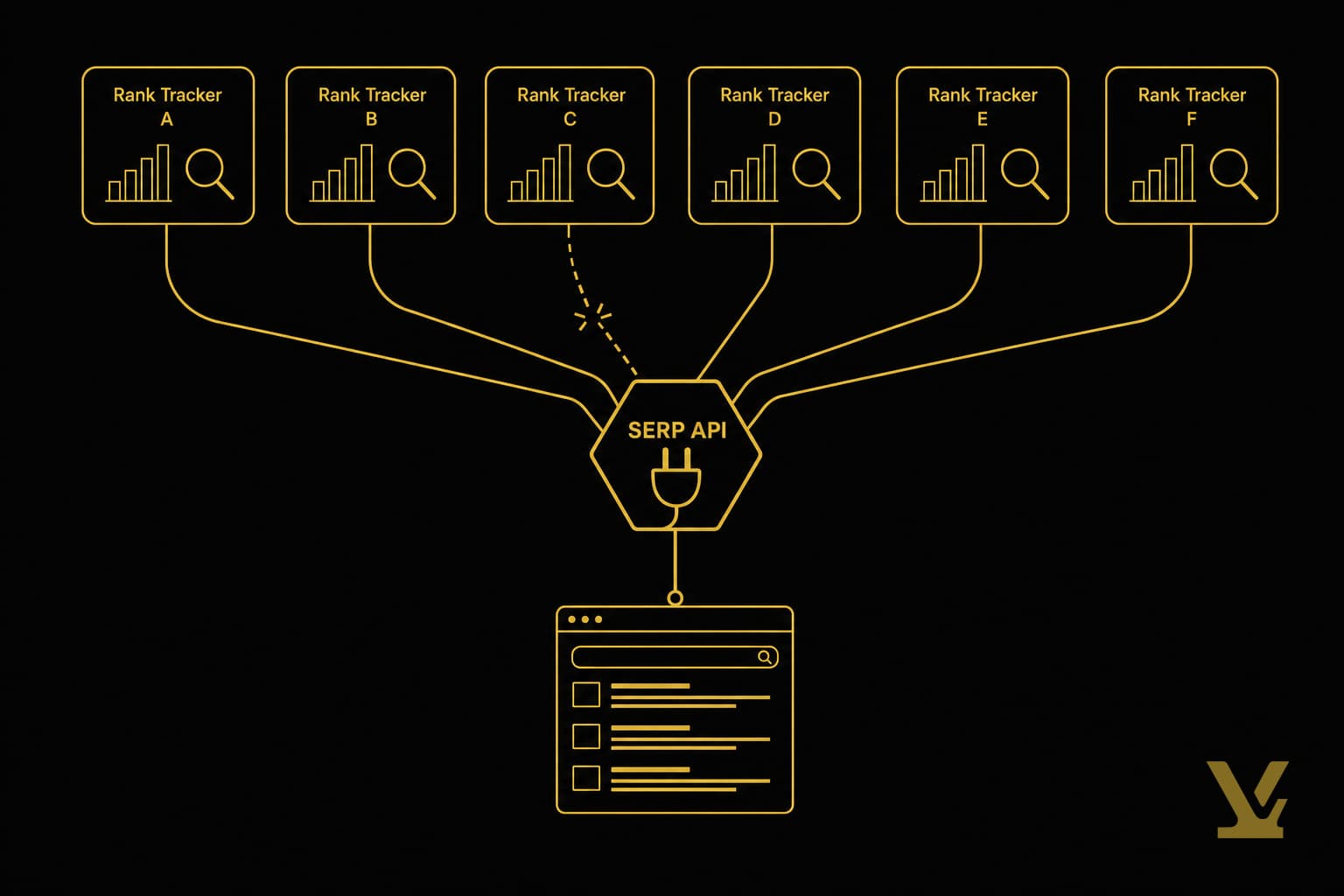
Ahrefs and Semrush both straddle Discover and Measure. Their rank trackers are good. So if budget is tight, one all-in-one suite plus Search Console can cover three stations for you. That is the right call for solo operators.
3-step quick start for a suite:
- Connect your domain and your top three competitors. Wait 10 minutes for the crawl.
- Run the "Content gap" or "Keyword gap" report. Export the rows where competitors rank and you don’t.
- Filter to keyword difficulty under 30 and search volume over 100. That is your next 10 briefs.
The trap to avoid: do not also subscribe to a second Discover tool "just to compare." Pick one, learn the report shapes, save the money. For a deeper teardown of which suite fits which budget, see our best keyword research tool guide.
Keyword research and content planning: from seed to topic cluster
A keyword by itself is not a content plan. A cluster is. The point of the Discover station is to find a seed term and expand it into a group of 5 to 15 related searches you can answer with one definitive page or a hub-and-spoke set.
The minimum viable cluster workflow:
- Drop a seed term into Ahrefs, Semrush, or AnswerThePublic. Pull every related query that hits your volume floor.
- Group the results by search intent. Buyers, learners, and comparison shoppers each get their own page.
- Send each cluster to the Brief station. The brief decides angle, outline, internal links, and the unique insight that will beat the current top 10.
This is exactly where AI-assisted planning earns its keep. Done well, it saves a strategist a full afternoon per cluster. Done badly, it gives you 200 thin pages that cannibalize each other. We covered the trade-off in AI SEO tools for keyword research.
Technical SEO and site crawls: run an audit that produces an action plan
The Crawl station has one job: find the bleeds. Broken internal links, redirect chains, pages indexed that shouldn’t be, missing canonicals. A modern site should be cleanly crawlable, full stop.
Reusable 3-step audit you can run any month:
- Crawl the full site with Screaming Frog. Export the "Response codes" and "Internal" reports.
- Fix every 4xx and every redirect chain longer than one hop. These two issues account for most lost link equity on small sites.
- Sort the "Internal" report by inlinks ascending. Any page with zero internal links is an orphan. Either link to it from a relevant hub or delete it.
If WordPress is your stack, your CMS already does half this work at publish time. Our best SEO plugins for WordPress post covers Yoast versus Rank Math in detail.
How to pick the right tool for your team: solo, in-house, or agency

Same five stations. Different stacks. The question is never "what is the best SEO tool." It is "do my five stations each have exactly one owner?"
Solo creator or small business owner. Budget is the constraint. You can run a serious stack for under $130 a month. See our full breakdown of best seo for small business for the 90-day plan behind that stack.
- Discover: Ahrefs Starter or Semrush Pro (pick one).
- Brief: VarynForge.
- Draft: Surfer SEO Essential.
- Crawl: Screaming Frog free tier.
- Measure: Google Search Console + GA4 (free).
In-house marketing team (3–10 people). Budget is moderate. You need handoffs that don’t require a meeting.
- Discover: Ahrefs Standard (multi-seat) or Semrush Guru.
- Brief: VarynForge for cluster planning, plus a shared brief template in Notion or Google Docs.
- Draft: Surfer SEO Scale, or Clearscope if budgets are flexible.
- Crawl: Screaming Frog paid + scheduled monthly runs.
- Measure: GSC + GA4 + Looker Studio dashboard.
Agency (multi-client). Budget is the cost of doing business. You need account-level segmentation and white-label reports.
- Discover: Ahrefs Advanced or Semrush Business with project-level seats.
- Brief: VarynForge with one project per client.
- Draft: Surfer SEO Enterprise.
- Crawl: Screaming Frog paid + a scheduled monitoring tool like ContentKing or Lumar for the bigger accounts.
- Measure: GSC + GA4 + Looker Studio with client-branded templates.
If you are a solo creator or a small team and want the short version, our best SEO tools for creators and small teams post has the lean stack.
Integration and workflows: building a practical SEO tool stack

A stack is not a list of tools. It is a pipeline with handoffs. Every Friday afternoon, a marketer should be able to run this loop start to finish in under two hours.
- Discover → Brief. Pull next week’s 3 target keywords from Ahrefs or Semrush. Drop them into VarynForge. Output: 3 writer-ready briefs with outline, internal links, and the unique insight already pre-filled.
- Brief → Draft. Writer opens Surfer SEO with the brief’s focus keyword. Surfer’s content score has to land above 70 before the draft is reviewable. Yoast/Rank Math handles meta and schema at the WordPress side.
- Draft → Crawl. Every publish triggers a Screaming Frog re-crawl of the changed section. Fix any new 4xx that pops up.
- Crawl → Measure. GSC and GA4 record the traffic and conversions from the new page. Set a 21-day check-in calendar event.
- Measure → Discover. After 21 days, the GSC "Queries" report shows the new query clusters Google decided your page is relevant for. Those become next month’s Discover seeds. The loop closes.
The handoff rule is simple: if a tool’s output cannot be exported as a CSV or pasted into the next tool’s input, the stack has a leak. Fix the leak before adding a sixth tool.
For a deeper read on what a written content plan looks like end to end, see content marketing strategy that converts and ranks in 2026.
Budgeting and pricing: free vs paid, and when to upgrade
Free tools cover three of your five stations all the way: Discover (Google Keyword Planner, AnswerThePublic), Crawl (Screaming Frog free up to 500 URLs), and Measure (GSC + GA4). The two stations that genuinely need paid spend in 2026 are Discover at scale and Draft.
The upgrade triggers:
- You hit Keyword Planner’s bucket walls. When "1K – 10K" volume isn’t precise enough to choose between two keywords, move to Ahrefs Starter or Semrush Pro. Roughly $99–$129 a month.
- Your site passes 500 URLs. Screaming Frog’s free tier caps there. The paid license is £199 a year — flat. Buy it before you double-crawl in pieces.
- You ship more than 4 articles a month. That is the point where a content editor (Surfer or Clearscope) pays for itself in revision time saved.
- You add a second writer. Per-seat pricing now matters. Look at Semrush Guru’s multi-seat plan or Ahrefs Standard.
Beware of the "all free" temptation. The hidden cost of free tools is your time. If a paid tool saves 4 hours a month at a $50/hr blended cost, it needs to cost under $200/month to win. Most clear that bar easily.
For a zero-budget starting point that doesn’t leave any station blank, our best free SEO tools quick-picks lays out the all-free stack.
Further Reading
- 20 best SEO tools in 2026 — Morningscore
- 24 best SEO tools I’m using in 2026 — Marketer Milk
- 10 best SEO tools every marketer should use — Nightwatch
- The 11 best SEO tools — Zapier
- 12 best free SEO tools (used by our team) — Backlinko
Sources
- Google Search Central: Get started with Search Console
- Ahrefs pricing page
- Semrush pricing page
- Google Keyword Planner overview
- Screaming Frog SEO Spider — pricing and features
- Google Analytics for developers
- Google Search Central: Sitemaps overview
How VarynForge fits in
VarynForge owns one station on this stack: the Brief station. It takes the seed keywords your Discover tool surfaces and turns them into clustered, intent-tagged briefs your writers can pick up the same day — outline, internal links, competitor angle, and the unique insight to beat the current top 10 are pre-filled, so a strategist saves a half-day of scaffolding per article. See the VarynForge features page for the full workflow.
Key Takeaways
Forget the rankings. Open a blank doc. List your five stations: Discover, Brief, Draft, Crawl, Measure. Beside each one, write the name of the single tool that owns it on your team today.
If any station is blank, the list above gives you exactly one pick for that slot — usually the free one. If two stations share a tool, pick which job it actually does best and replace the other. If two tools share a station, cancel one.
Do that audit once a quarter. You will stop buying tools you don’t use and start shipping more pages than your competitors. That is how digital marketers win at SEO in 2026 — not with a longer toolbelt, but with a tighter one.
Frequently asked questions
Which SEO tool is best for a solo creator on a tight budget?
If you only buy one paid SEO tool, make it Ahrefs Starter or Semrush Pro. Both sit at the Discover station and cover keyword research, competitor analysis, and basic rank tracking, so a single subscription replaces three free tools you would otherwise stitch together. Pair it with Google Search Console and GA4 for the Measure station, Screaming Frog free tier for the Crawl station, and a content editor like Surfer SEO for the Draft station. That four-tool stack runs under one hundred fifty dollars a month and still covers every job a small business needs to do. If even that is too much, hold off on the paid Discover tool and run a fully free stack using Google Keyword Planner plus AnswerThePublic until you are ready to ship more than two articles a month. The upgrade trigger is when keyword volume buckets stop being precise enough to choose between two terms.
Are free SEO tools sufficient to rank in competitive niches in 2026?
For most small business and creator niches, yes. Free tools alone cover three of the five SEO pipeline stations completely: Discover with Google Keyword Planner and AnswerThePublic, Crawl with Screaming Frog free tier, and Measure with Google Search Console and Google Analytics 4. The two stations where free tools start to fall short are Discover at scale and Draft. Once your niche has competitors with deep backlink profiles and dense topic clusters, you will need the data depth of Ahrefs or Semrush to find the gaps they have not filled. The same holds for the Draft station: a content editor like Surfer SEO or Clearscope shaves hours off every article you publish. The honest answer is that free tools get you started and rank in low-competition niches, but paid Discover and Draft tools are usually what move a site from page two to page one in crowded markets.
How do I choose between an all-in-one SEO suite and best-of-breed point tools?
Use the five-station test. An all-in-one suite like Ahrefs or Semrush is the right call when one tool will own both the Discover and the Measure stations on your stack. For a solo creator or small team, that consolidation is a clear win because it reduces seat counts, billing complexity, and context switching. Best-of-breed point tools are the right call when your team is large enough that separate specialists own each station, when a single suite cannot match a focused tool on a critical job, or when integration with your CMS or content brief tool matters more than feature breadth. The trap to avoid is buying both an all-in-one suite and a duplicate point tool for the same station. That is the most common waste in marketing budgets. Pick one tool per station, learn it deeply, and only add a second when the first hits a measurable ceiling.
What is the minimum tool stack an agency should buy to serve multiple clients?
An agency needs project-level segmentation, white-label reports, and seat counts that match the team size. The minimum stack looks like this. Discover: Ahrefs Advanced or Semrush Business with one project per client. Brief: VarynForge with one project per client so research, briefs, and content plans stay isolated. Draft: Surfer SEO Enterprise so writers can collaborate inside a content editor without sharing logins. Crawl: Screaming Frog paid license for ad-hoc audits, plus a scheduled monitoring tool like ContentKing or Lumar for the larger client accounts. Measure: Google Search Console and Google Analytics 4 connected to a Looker Studio dashboard with a client-branded template. Total monthly burn for that stack starts around one thousand dollars and scales with seat count. The discipline that matters more than the brand choices is the per-client project structure: every report, every brief, every audit lives under the right project, so internal handoffs and client deliverables never get crossed.
How often should I run full technical SEO audits and which tools are best for recurring audits?
Run a full technical audit once a quarter as a baseline, and a smaller targeted crawl after any major site change. The full audit catches slow-growing problems like redirect chain expansion, schema drift, and orphan pages that accumulate when content teams ship without coordination. Screaming Frog is the workhorse for both the full quarterly audit and the targeted post-deploy crawl. The free tier handles sites under five hundred URLs cleanly, and the paid license is a flat annual fee with no per-URL ceiling. For sites large enough that the desktop tool becomes a bottleneck, schedule a cloud crawler like ContentKing or Lumar for weekly or monthly runs and feed alerts into your team chat. Pair the crawler with Google Search Console for index coverage and CWV data, since GSC reflects what Google actually sees, not what your crawler thinks it should see.
Can one tool handle keyword research, content optimization, rank tracking, and backlink analysis reliably?
Almost. Ahrefs and Semrush both come close because each one straddles the Discover and Measure stations and includes a basic content brief feature. For a solo creator or small business, one of those suites plus Google Search Console will genuinely cover four jobs reliably. Where one-tool stacks fall short is the Draft station. The content brief features inside Ahrefs and Semrush are functional, but a dedicated content editor like Surfer SEO or Clearscope still produces better-ranking drafts because they grade the live document against the top ten results in real time. A second area where a single tool struggles is at scale: agency-level seat counts and white-label reports push most teams to split jobs across two or three tools. The pragmatic answer is that one tool can cover most jobs, but a tight two- or three-tool stack almost always outperforms a single-tool stack for any team shipping more than four articles a month.
Why are tools like Ahrefs and Semrush so expensive, and is there a way to access them cheaper?
Both tools maintain their own web indexes, which is a heavy infrastructure expense passed through to subscribers. Building and refreshing a backlink and keyword index that competes with Google itself runs into the tens of millions of dollars in compute, storage, and crawling cost per year. That is why the entry-tier plans start around one hundred dollars a month even after years of competition. The cheaper-access paths that do not violate the terms of service are limited but real. Both vendors run seasonal promotions on annual plans, both offer agency-style multi-seat discounts that work for in-house teams of three or more, and both have starter tiers that cover roughly seventy percent of a small team's actual workflow. Stay away from third-party shared-account marketplaces. They violate the terms of service and get cut off without warning, which leaves your team with no Discover station mid-project.