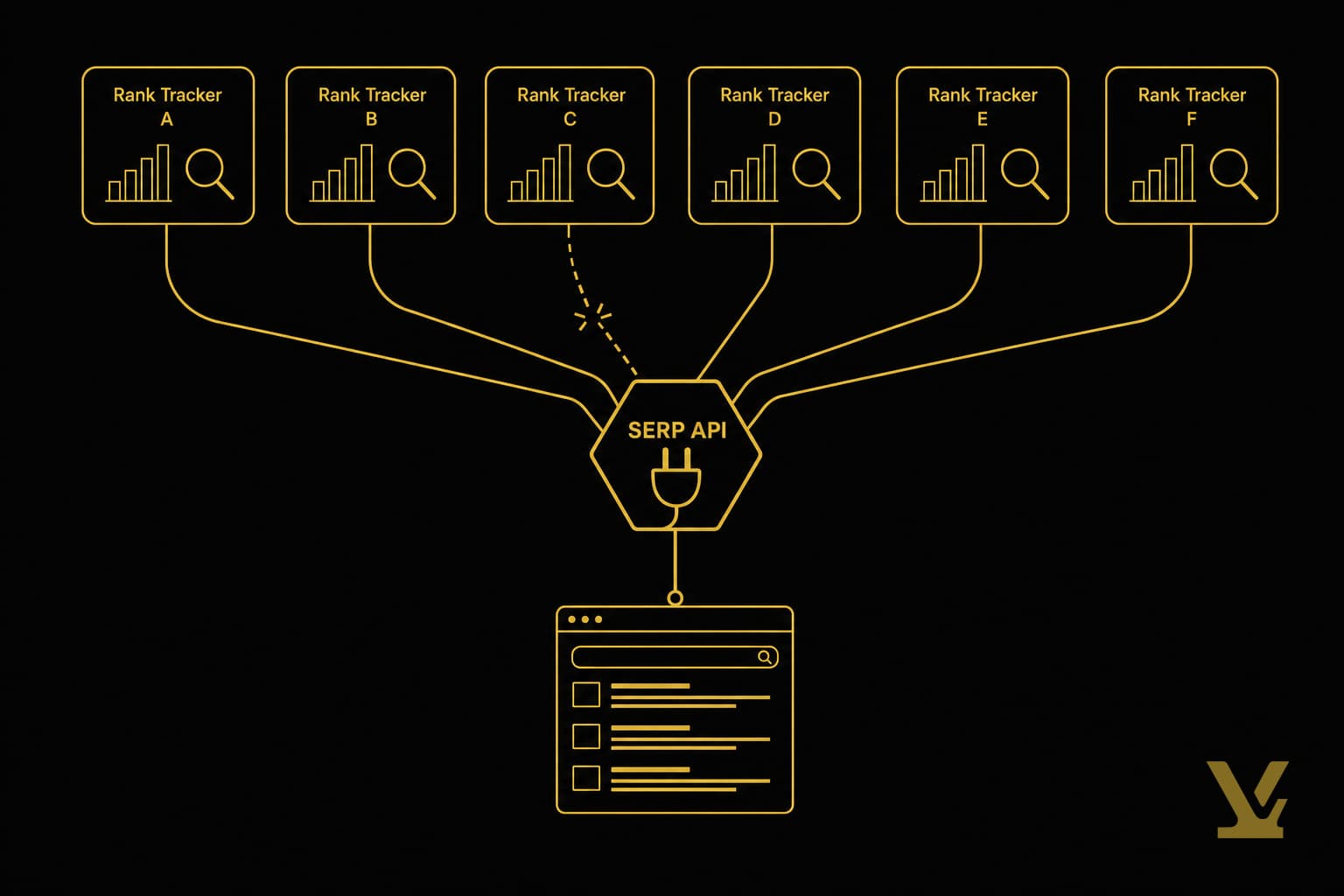
SERP Meaning Explained: What a Search Engine Results Page Is in 2026
A SERP is the page Google returns for a query, but in 2026 it is an answer engine. Learn what SERPs mean, their elements, and how to measure them.
A SERP is the page Google or another search engine shows you after you type a query. The acronym stands for Search Engine Results Page, and on the SEO side of the internet that is the only meaning that matters. (You will also see SERP used for Supplemental Executive Retirement Plans in finance — not what we are unpacking here.) Understanding SERP meaning is the entry point to almost every SEO conversation, because the SERP is where rankings, clicks, and visibility actually happen.
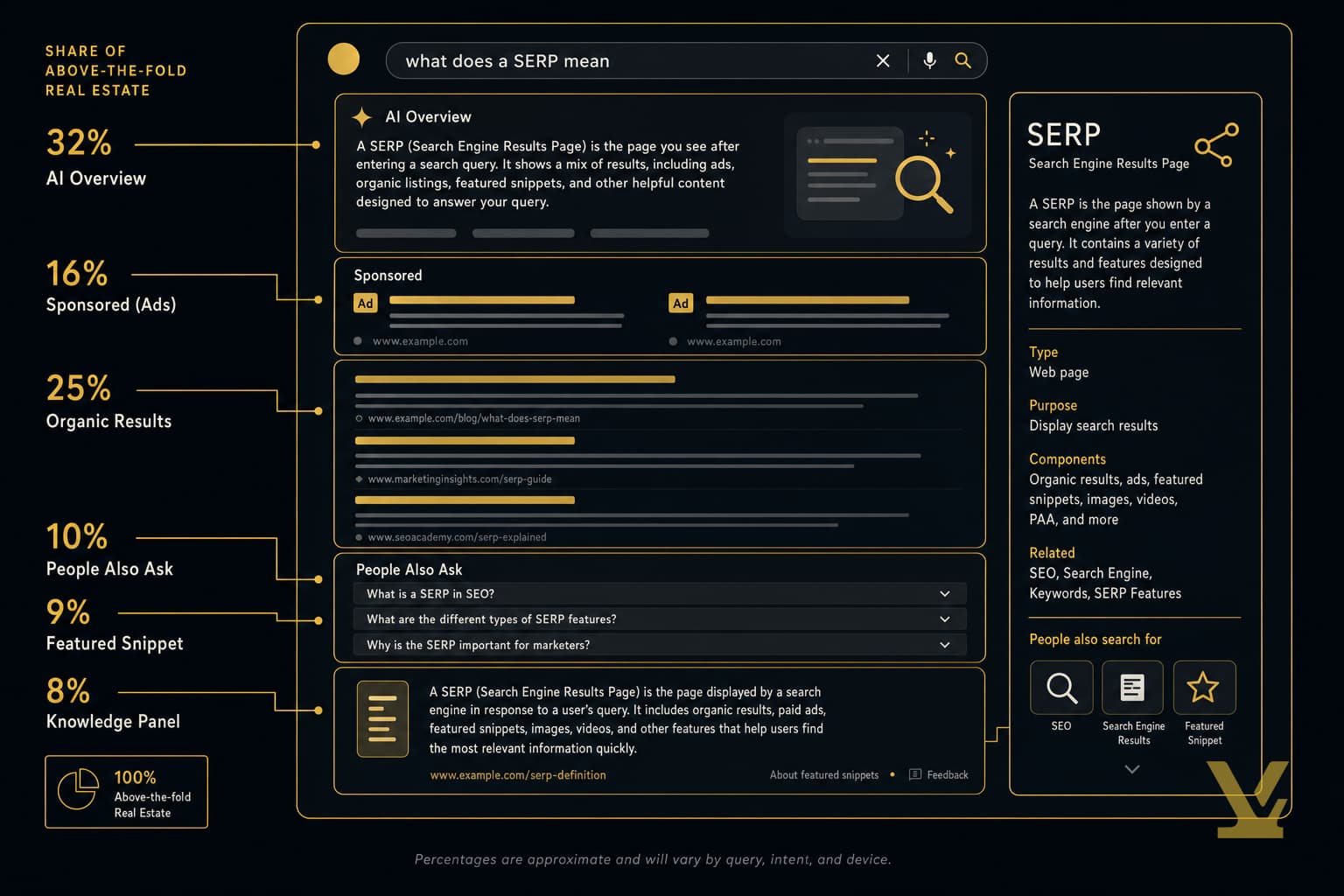
The strategic problem is that the SERP people picture in their heads — ten blue links — is a museum exhibit. Today's SERP is an answer engine. AI Overviews, featured snippets, video carousels, Knowledge Panels, and the local pack now occupy the majority of above-the-fold real estate on informational queries, with Google rolling out AI Overviews to everyone in the US in May 2024 and steadily expanding the trigger set since. The thesis of this guide is that SERP position is the wrong unit of analysis. The right unit is SERP unit economics — your inclusion rate per feature, weighted by the effective click-through rate of each surface.
SERP meaning: a concise definition
A search engine results page is the dynamic page a search engine assembles in response to a single query. "Dynamic" is the load-bearing word: two people typing the same query at the same moment can see different pages, because search engines personalize and localize the page based on context — country, device, prior session signals, and inferred intent. Pretending the SERP is one fixed object is the most common mistake new SEO practitioners make.
A quick disambiguation: SERP can also refer to a Supplemental Executive Retirement Plan in finance, which is unrelated. For the rest of this article, SERP means the search engine results page only — the foundation every other SEO term sits on top of.
How SERPs work: how search engines build a results page
A SERP is built in three layers, none of which are visible to the user but all of which determine what they see. First, the search engine has already crawled and indexed pages from across the web — Google's index alone is hundreds of billions of pages and well over 100 million gigabytes. Second, when a query arrives, the engine matches it against that index using ranking signals — relevance, authority, freshness, and roughly 200 other documented and undocumented inputs. Third, and this is the layer most teams skip, the engine decides what shape the SERP should take based on inferred intent.

Take "best running shoes 2026." The engine infers commercial intent and assembles a SERP with a sponsored shopping carousel, a People Also Ask block, organic results, and a video carousel. Type "running shoes near me" instead, and the same engine assembles a SERP dominated by a local pack. Type "what are running shoes made of," and an AI Overview appears at the top. Three adjacent queries, three completely different SERP shapes — because the engine matches shape to intent, not just ranks documents. Our practical guide to how SEO works in 2026 covers the optimization side of that machinery.
Key SERP elements every marketer should know

A modern SERP has six element classes worth tracking. Each one consumes different amounts of vertical real estate, attracts different click rates, and rewards different optimization tactics. Treating them as a single bucket called "the page" is why most SEO reports are useless.
Organic results: what they are and why they still matter
Organic results are the unpaid blue-link listings — title tag, URL, meta description, plus optional rich elements like sitelinks and review stars. They are still the workhorse of long-term SEO, but their share has compressed. Advanced Web Ranking 2026 CTR data shows the median desktop CTR for position one on a feature-light SERP at around 39%, falling to roughly half that when an AI Overview occupies the top of the page. Organic still pays — but a top spot is no longer the same prize it was in 2018.
Paid results and ads: how they appear on SERPs
Paid placements run on Google Ads and sit above organic results, labeled "Sponsored." Shopping ads — image-and-price tiles — appear on commercial queries, sometimes as a horizontal carousel, sometimes as a right-rail block. Paid and organic co-occur on the majority of commercial SERPs, which is why content teams cannot ignore the paid side: bidding behavior changes the available organic real estate above the fold. If a competitor is bidding aggressively on your branded term, your organic position one is now visually below their ad — same rank, lower share of attention.
SERP features: featured snippets, local pack, knowledge panel, PAA
SERP features are everything that is not a standard organic blue link or a paid ad. The five that show up most often are:
- Featured snippet — a direct answer pulled from a single page. Owning one historically lifted CTR, but Ahrefs research shows the position-one organic result loses about 8% of its clicks when a snippet is also present.
- Local pack — a map plus three local listings, triggered when the engine infers location intent.
- Knowledge Panel — a sidebar card pulled from structured data and the engine's knowledge graph, usually shown for entities.
- People Also Ask (PAA) — an accordion of related questions that expand into more answers and inject more queries into the session.
- AI Overview — the generative summary block introduced in 2024 and now stable on a meaningful share of searches.
Types of SERPs: universal, local, branded, and intent-driven shapes

Once you stop thinking about "the SERP" and start thinking about SERP shapes, the typology is almost fixed. Every query resolves to one of a small number of archetypes:
- Universal informational — AI Overview at top, a few organic results, PAA, related searches. Triggered by "what is" and "how to" queries.
- Local pack heavy — map and three local listings dominate, with organic pushed below the fold. Triggered by "near me" or implicit-location queries.
- Branded / Knowledge Panel — short organic list with a tall right-rail Knowledge Panel. Triggered by brand or entity queries.
- Commercial / shopping — sponsored shopping carousel, paid ads, then review-site organic. Triggered by transactional queries.
- Video first — a YouTube carousel above or inside organic. Triggered by "tutorial," "review," and visual-skill queries.
Each shape has a different ceiling. A local-pack-heavy SERP caps out at a few hundred organic clicks per month even for category-defining keywords. A universal informational SERP with a strong AI Overview may cap your organic CTR at 10–12% no matter how good your title tag is. The shape decides the math, which is exactly why our piece on mapping intent across multi-vector queries argues for grouping keywords by SERP shape, not topic alone.
What SERP position indicates and why position alone is misleading
SERP position is the rank a given URL holds inside the organic blue-link list — position 1 through 10 on page one, then 11 through 20 on page two. The traditional reason it mattered was CTR. Advanced Web Ranking 2026 data puts desktop CTR at roughly 39% for position one on a feature-light page, falling into single digits from position four down. On mobile the curve compresses further.
The footnote: those CTR curves assume a feature-light SERP. Add an AI Overview or a featured snippet, and the same position one delivers half the clicks. Add a sponsored shopping carousel, and organic position one is two scrolls down on mobile. SparkToro 2024 zero-click data is the punchline: only a minority of searches produce a click to the open web. The deliverable is no longer "we ranked number three." It is "we ranked number three on a SERP shape that delivers an effective CTR of 4%, worth roughly N visits per month." If you do not know the shape, you do not know the value.
What a SERP report is and how to build one that actually informs decisions

A SERP report is the document a marketing team uses to track how the SERP is evolving for a portfolio of priority queries. The standard template — keyword, current rank, prior rank, search volume — is what most agencies still ship. It is also the report that misses the entire point. Rank without shape is meaningless, which is why I recommend a five-column SERP unit economics report instead.
The five columns:
- Query — the tracked keyword, ideally clustered with its variants.
- Modal SERP shape — universal, local, branded, commercial, or video first.
- Feature inclusions — does our brand appear in the AI Overview, featured snippet, PAA, or local pack? Track this as a checkbox per surface.
- Effective CTR — your share of clicks across all surfaces you appear on, derived from Search Console clicks ÷ impressions for that query.
- Weekly delta — change in effective CTR week over week. The first derivative surfaces movement before rank itself moves.
Pull the inputs from three free sources: Google Search Console for impressions, clicks, and effective CTR; Google Trends for query-level seasonality; and a manual SERP screenshot or a paid rank-tracker for shape detection. We walk through the free-tool stack in our practical guide to triangulating Google signals. Run the report weekly for tier-one queries, monthly for the long tail.
The objection here is that this is more work than a rank report. It is — and the work is the moat. Tracking only rank is what every competitor is already doing, and they are reaching the same wrong conclusions you would. Tracking shape and inclusion is what surfaces an AI Overview opportunity weeks before it shows up in a rank tracker.
Benefits of monitoring SERPs and the next three moves to make
Monitoring SERPs delivers three benefits that compound with portfolio size. You see feature opportunities — which queries are eligible for an AI Overview citation, a featured snippet, or a Knowledge Panel — before competitors do. You see competitor signals — when a new player buys their way above your organic, when a publisher takes your snippet. And you see traffic-mix risk — when organic dependence is a single-feature change away from a 30% drop.
Three immediate moves for any team that has not been running a shape-aware SERP report:
- Audit the top 20 queries by impressions in Search Console — note the modal SERP shape for each. Most teams find that 6 to 9 of their priority queries are on shapes where a 30% rank improvement would not move the revenue needle.
- Set up a weekly cadence — populate the five-column report, even if the first version is a Google Sheet. Cadence beats tooling.
- Prioritize feature wins, not rank wins — finding low-competition opportunities pays best when you screen for features still up for grabs. Our piece on finding low-competition keywords that drive traffic pairs neatly with this report.
If the SERP audit reveals systemic visibility gaps on Google specifically, our fixes that boost Google visibility is the natural follow-on. Strategy without execution is just a slide deck.
How VarynForge fits in
Running a shape-aware SERP report by hand is fine for one site. Across a portfolio it stops scaling around the third client. VarynForge is the keyword and content-planning workspace we built for exactly this gap: it clusters keywords by SERP shape and intent so your weekly five-column report regenerates from one query, surfaces feature-eligibility signals per query, and turns the resulting opportunity set into a prioritized content-brief queue you can hand to a writer or agency. See VarynForge pricing and free tier to map the planning side to your portfolio.
Further Reading
- What Is a SERP? Search Engine Results Pages Explained — Semrush
- What Is A SERP Feature? Common Types And How To Win Them — Moz
- What is the SERP (Search Engine Results Page)? — Directive
- What Is SERP? Search Engine Results Page Explained — Coursera
- Visual Elements Gallery — Google Search Central
Sources
- Google — Generative AI in Search: AI Overviews launch
- Advanced Web Ranking — Organic CTR study by position and SERP feature
- Ahrefs — Featured snippets and CTR impact research
- SparkToro — 2024 zero-click search study
- Google — How Search organizes information
Key Takeaways
A SERP is the search engine results page — and the operative word is page, not list. The page assembles dynamically from organic results, paid placements, and a stack of SERP features whose mix changes by query, location, and inferred intent. Treating it like a static ranking ladder is the reason so many SEO reports look busy and explain so little.
The framework worth carrying out of this article is SERP unit economics. Track the modal shape for every priority query, track inclusion rate per feature, and track effective CTR — not raw rank. Build the five-column report, run it weekly on the top quartile of your portfolio, and let competitors keep updating rank-only spreadsheets. Position is a coordinate. Shape is the map. Teams that act on the map win the next three years of search.
Frequently asked questions
What does SERP stand for and what exactly is a search engine results page?
SERP stands for Search Engine Results Page. It is the page Google, Bing, or another search engine assembles in real time when you submit a query. The page is dynamic, not static. The same query typed by two different people at the same moment can return two different pages because search engines personalize and localize results based on country, device, time of day, prior session signals, and inferred intent. A modern SERP is rarely just ten blue links anymore. It is a composite layout that can include organic results, sponsored ads, an AI Overview block, a featured snippet, a People Also Ask accordion, a local pack with a map, a Knowledge Panel sidebar, video carousels, image rows, and shopping tiles. Treating the SERP as a single fixed object is the most common mistake new practitioners make. The right mental model is that a SERP is a layout the engine builds from a catalog of available surfaces, choosing which surfaces to include based on the intent it has inferred for that specific query.
What are the most common SERP elements and how do they affect visibility?
There are six element classes worth tracking on most modern SERPs. Organic results are the unpaid blue-link listings — title, URL, and meta description — and remain the workhorse of long-term SEO, but their share of clicks compresses sharply when other features are present. Paid ads sit above organic results, marked Sponsored, and shopping ads display image and price tiles on commercial queries. Featured snippets pull a direct answer from one page and place it in a callout above the organic list. Local packs combine a map and three local listings, triggered by location intent. Knowledge Panels are sidebar cards summarizing entities like brands, people, or products. People Also Ask is an accordion of related questions. AI Overviews are generative summary blocks that now appear on roughly one in eight Google searches. Each surface affects visibility differently — some replace the click entirely, some lift it, some redirect attention. That is why tracking inclusion per surface matters more than tracking rank alone.
How does SERP position affect click-through rate and traffic?
Historically, position one on Google captured around 39% of desktop clicks on a feature-light SERP, position two roughly 18%, position three around 10%, and the curve fell into single digits from position four onward (Advanced Web Ranking, 2026). That curve is still directionally true, but the modern SERP changes the math significantly. When a SERP includes an AI Overview, the position-one CTR drops to roughly 18%. When a featured snippet is present, the position-one organic loses about 8% of its clicks to the snippet. When sponsored shopping ads occupy the top of a commercial SERP, organic position one is visually two scrolls down on mobile, even though its rank has not changed. The strategic implication is that a position number on its own is no longer a meaningful unit of measure. The same rank can deliver very different traffic depending on the SERP shape, which is why teams need to track effective CTR — Search Console clicks divided by impressions — at the query level, not assume a fixed CTR curve.
What is a SERP report and what metrics should I include in one?
A SERP report is the document a marketing team uses to track how the SERP is evolving for a portfolio of priority queries. The traditional template — keyword, current rank, prior rank, search volume — is what most agencies still ship, but it misses the shape of the page entirely. A more useful template uses five columns. First, the query, ideally clustered with its variants. Second, the modal SERP shape — universal informational, local pack heavy, branded with Knowledge Panel, commercial with shopping, or video first. Third, feature inclusions: a per-surface checkbox showing whether your brand currently appears in the AI Overview, featured snippet, PAA, or local pack for that query. Fourth, effective CTR: clicks divided by impressions in Search Console for that query. Fifth, weekly delta: the change in effective CTR week over week, which surfaces movement before raw rank does. Run the report weekly on tier-one queries and monthly on the long tail.
How do SERP features differ from organic results?
Organic results are the standard unpaid blue-link listings ranked by relevance and authority signals. A SERP feature is anything that is not a standard organic blue link or a paid ad. Featured snippets are direct answers pulled from a single page and shown in a callout. Local packs combine a map with three local listings. Knowledge Panels are sidebar cards built from structured data and the engine's knowledge graph. People Also Ask shows related questions in an accordion. AI Overviews are generative summaries the engine writes itself, with citation links underneath. The crucial difference is the click economics. Organic results invite a click to your site. SERP features often answer the query in place — a featured snippet may give the user the entire answer, an AI Overview may resolve the question with a paragraph and citations, a Knowledge Panel may surface contact info or hours without a click. Winning a feature can lift visibility, but it can also reduce traffic if the user gets what they need without leaving the SERP.
How can I check my page's SERP position and detect if a feature is taking my organic listing?
Start with Google Search Console. The Performance report shows the average position, impressions, and clicks for every query that surfaced your page. Filter by query, then compare clicks against impressions to derive effective CTR. If effective CTR drops sharply while average position stays flat, a SERP feature is almost certainly absorbing the click. To confirm, run a manual SERP check from an incognito window using the same query, ideally from the location and device profile you care about. Note which surfaces are present — AI Overview, featured snippet, PAA, local pack, video carousel — and whether your brand appears in any of them. For higher-volume tracking, paid rank trackers like Ahrefs, Semrush, or Sistrix surface SERP feature presence per query, but the manual approach is enough to spot the pattern. Audit weekly for tier-one queries; monthly is fine for the long tail.
Why is it important for small businesses and creators to monitor SERPs regularly?
SERP monitoring matters more for small teams than for large ones, because small teams have less margin to absorb a sudden visibility drop. There are three concrete benefits. First, you spot feature opportunities early. A query that just started showing PAA is a chance to win an answer slot before bigger players notice. Second, you spot competitor moves. When a paid competitor starts bidding aggressively above your organic, your visual share of attention drops even if your rank is unchanged — and only a SERP audit catches that. Third, you spot traffic-mix risk. If your organic traffic depends on a single query that just gained an AI Overview, a 30% drop is one feature change away. For creators and small businesses, a weekly review of the top 20 queries by impressions in Search Console plus a manual screenshot of the modal SERP shape for each is enough to maintain visibility — and that small audit prevents the kind of surprise traffic loss that derails a quarter.