
Accurate Google Keyword Research: Correct Tool Errors First
Google keyword research is biased in five named ways. The Tool-Error Decoder calibrates each output before triangulation runs, in a 90-minute pipeline.
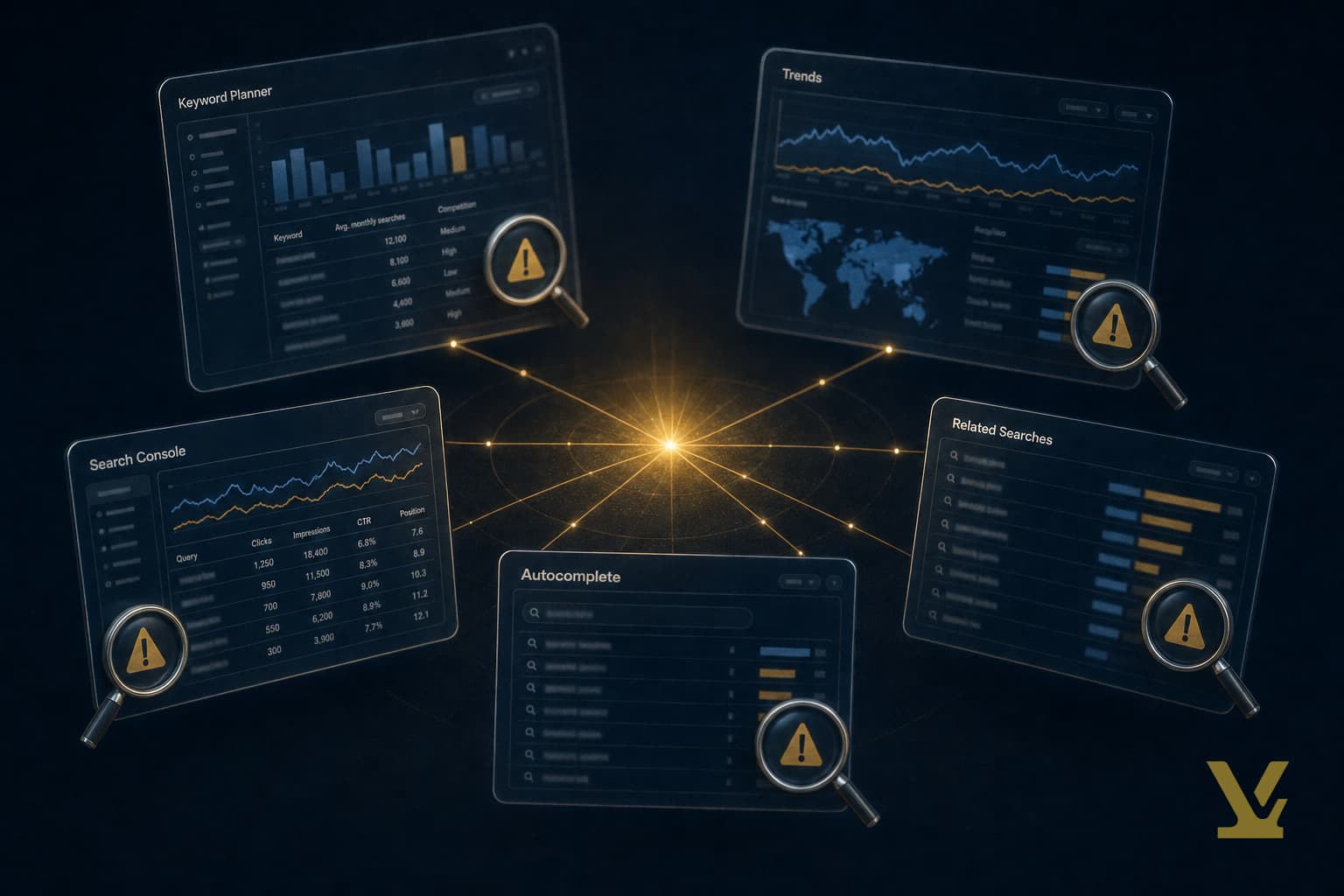
Most articles about Google keyword research treat each tool as a clean readout. They are not. Every Google-owned tool — Keyword Planner, Trends, Search Console, autocomplete, and related searches — has a known accuracy failure mode that bends the number you see before you ever triangulate.
This is the layer above the workflow. Before you decide what to write, you correct each tool's output against a second tool that does not share the same blind spot. Call it the Tool-Error Decoder. It is the only reason the same five tools that mislead one team produce defensible plans for another. If you want the downstream demand-difficulty-direction step, see our practical guide to Google keyword search. This article is upstream of that one — it fixes the inputs first.
The Google keyword research tools you need (and what each gets wrong)

Five tools. Five distinct failure modes. Memorize them and the rest is mechanical:
- Keyword Planner — bucket compression. Volumes return in log-scale brackets (10–100, 100–1K, 1K–10K, 10K–100K, 100K–1M, 1M+). Two queries with very different true demand show the same bucket. The granular numbers are reserved for advertisers running active campaigns.
- Trends — relative-not-absolute scoring. Every Trends number is normalized to 100 inside the comparison window. A flat line at 50 in one window is a screaming peak in another. There is no global volume in Trends — only ratios.
- Search Console — privacy-thresholded zero rows. Queries with very few impressions and queries Google judges potentially identifying are suppressed; the page totals exceed the per-row sum, and the gap is real demand you cannot see.
- Autocomplete — freshness lag and personalization. Suggestions reflect a recency-weighted mix of recent queries plus your own search history; the same seed in incognito two days apart returns different orderings.
- Related searches — non-determinism. The eight tiles at the bottom of a SERP rotate based on query reformulation patterns Google observes during the session. Two researchers on identical queries five minutes apart collect different sets.
Every column of every spreadsheet you build is, by default, biased by one of those five failures. The Tool-Error Decoder is the discipline of correcting each column before any column touches another.
Access Keyword Planner without burning campaign budget
You need a Google Ads account, not a paid campaign. The distinction matters because Google's signup wizard pushes you toward "Smart Mode," which expects a credit card and live ads. The route that keeps you in the planner without spending is "Expert Mode."
- Open the Keyword Planner landing page and start the new account flow.
- On the first screen, click the small Switch to Expert Mode link near the bottom before answering any campaign goal questions.
- When prompted to create a campaign, click Create an account without a campaign — the only path that bypasses the billing prompt.
- Confirm time zone and currency, then Submit. You have an Ads account ID with no payment method attached.
- From the top nav, choose Tools → Planning → Keyword Planner. You are in.
Common access problems and the fixes that work
Three failure modes recur. If Planner shows volumes as bands like "1K – 10K," you have not run a paid campaign yet — that is expected. If the tool keeps redirecting to billing setup, your account flagged itself as Smart Mode; create a fresh account and pick Expert Mode at step two. If discovery returns zero ideas for valid seeds, your country/language pair is mismatched — change region under settings before retrying.
Calibrate Keyword Planner buckets against Search Console

The bucket display is the single biggest source of bad keyword decisions. A keyword reading "1K – 10K" can have true monthly demand of 1,100 or 9,800, and the prioritization implications are night and day. Pair every bucketed reading with a second signal from a tool that returns a continuous number.
The pair: Planner bucket × Search Console live data for any query you already rank for. If you sit at position 14 for "free keyword research" and Search Console shows 240 impressions per month, back-solve approximate true volume using the public click-through-rate curves — position 14 takes roughly 0.7% of clicks per Advanced Web Ranking 2025 CTR study. Land on a per-query calibration ratio and apply it to neighboring bucketed terms in the same cluster. For queries you do not yet rank for, use the bucket midpoint as a placeholder and flag it as low-confidence. Never let an un-calibrated bucket make a publish-or-skip decision.
Surface the queries Keyword Planner hides with Search Console
Search Console is the only Google source that exposes actual query strings users typed to find your site. Pull the last 16 months from the Performance report's Queries tab, filter for impressions ≥ 5, and export.
Three corrections before that export touches a plan. First, the suppressed-row gap: the per-query sum is lower than the page total, and the delta is privacy-thresholded queries — too rare or too sensitive to display. That delta is demand you are blind to. Second, deduplicate near-synonyms (singular/plural, hyphen variants) before counting clusters. Third, weigh queries by average position — a query at position 47 with 200 impressions is a discovery signal; the same query at position 4 with 200 impressions is a ceiling signal.
Decode Google Trends: turn relative scores into volume estimates
Trends shows ratios, never volumes. Anchor every Trends comparison to a query whose true volume you already calibrated above. Plot your candidate against your anchor in the same panel, match geography and time window, and read the relative score. If your anchor "best keyword research tool" reads 100 with 8,100 monthly searches, and your candidate reads 47 in the same window, the candidate's implied monthly volume is roughly 8,100 × 0.47 ≈ 3,800. Trends is now a multiplier, not a number.
Two corrections matter. Always anchor inside the same panel — normalization resets per session. Always check trajectory, not just score: a candidate at 47 trending up beats an anchor at 100 trending down for any plan with a six-month horizon.
An accuracy-first workflow that ships a clean plan in 90 minutes

Run the seven steps in this order. Each step's output is the next step's input; skipping a calibration cascades errors downstream.
- Seed list (10 min). Brainstorm 12–18 root queries from product context, customer-support tickets, and one competitor's top blog. Stop at 18 — more is noise.
- Keyword Planner pull (15 min). Run discovery against the seeds, filter for relevance, export the bucketed CSV. Do not act on volumes yet.
- Search Console calibration (20 min). For every seed where you rank in the top 50, pull impressions × position and back-solve true volume. Apply the calibration ratio to neighboring bucketed terms.
- Trends decode (15 min). Pick one calibrated keyword as anchor. Plot the rest against it in a single panel. Convert relative scores to multiplied volume estimates. Keep the trajectory column.
- Autocomplete refresh (10 min). Run every cluster head in incognito with explicit location. Capture eight suggestions per query, re-run six hours later, union the sets. The intersection is your high-confidence long-tail layer; see our long-tail keyword tool picks for the downstream step.
- Related-search lock (10 min). For each cluster head, capture eight related searches in three sessions thirty minutes apart. The intersection across all three is the stable set; everything else is noise.
- Plan synthesis (10 min). Carry every keyword forward with three columns: calibrated volume, confidence (high/medium/low), and trajectory. Publish rows where confidence ≠ low; everything else parks in the backlog.
A 90-minute pipeline that beats any 4-hour spreadsheet built on raw Planner exports. To convert the output into a publishing schedule, see our one-tool content plan and the topic-cluster research workflow.
When third-party tools are worth a supplemental slot
Third-party tools do not fix Google's accuracy failures. Most resell Keyword Planner's bucketed data through ML midpoints, then present the midpoint as a precise number. That is a confidence illusion — the underlying signal is still bucketed; you have just hidden the bracket. Treat anything labeled "exact monthly volume" outside Google's own products with that suspicion in mind.
Where they earn the slot is two places. Suggestion breadth — tools like KeywordTool.io scrape autocomplete across many languages and platforms in a single pull, faster than hand-running incognito sessions. SERP feature mapping — the AI overview, "people also ask," and image-pack signals are not in Planner or Search Console at all. For where each tool earns the slot, see our true-cost buyer's guide to SEO keyword tools and the AI SEO tools roundup.
A pre-publish checklist for the calibrated plan
Before any keyword becomes a brief, run it through this checklist:
- Calibration confidence annotated for every row (high / medium / low).
- Trends trajectory recorded for the next 6 months — decline-trend keywords are deprioritized regardless of current volume.
- Search Console gap per cluster head, noted as the headroom estimate.
- Autocomplete and related-search intersections stored as section signals.
- Cross-tool agreement ≥ 2-of-3 (Planner midpoint, Trends-multiplied, GSC back-solved) for every greenfield keyword.
How VarynForge fits in
Calibration metadata is only useful if it survives into the brief. VarynForge keeps the per-keyword confidence, suppressed-row gap, and Trends trajectory attached to every brief it generates, so the corrections you ran in the seven-step pipeline are visible to the writer when the article ships — instead of being thrown away in the export.
Frequently Asked Questions
Do I need a Google Ads account to use Google Keyword Planner?
Yes, but you do not need an active campaign. Open an Ads account in Expert Mode and pick "Create an account without a campaign." That gets you into Keyword Planner with no payment method on file. A few extra clicks during signup is the entire price.
How accurate are Keyword Planner volume ranges for SEO planning?
Accurate enough for ordinal ranking, useless for cardinal targets. The buckets tell you that "best keyword research tool" has more demand than "best keyword research tool for affiliate sites" — they do not tell you whether the higher one is 1,100 or 9,800. Use ranks for prioritization, and calibrate against Search Console before any column reads as a precise number.
Can I use Google Search Console to discover new keywords?
Yes. The Performance report's Queries tab is your discovery surface. Set the date range to the maximum 16 months, filter for impressions ≥ 5, and export to CSV or Sheets. Watch for the suppressed-row gap — the per-query sum is lower than the page total, and the delta is real demand the privacy threshold hides.
How do I combine Keyword Planner with Search Console to prioritize topics?
Pull both into one sheet keyed by query. For queries where you rank in the top 50, use Search Console impressions back-solved through public CTR curves as your true-volume estimate. For greenfield queries, use the Keyword Planner bucket midpoint flagged as low-confidence. Sort by calibrated volume × trajectory, not by raw bucket — topics with both Search Console impressions and a Trends uptrend ship first.
What fields should I export from Keyword Planner?
Keep keyword, monthly searches (the bucketed range), competition, top-of-page bid low and high, and three-month change. Drop "ad impression share" and the indexed competition score — both are paid-side signals. Add four columns by hand after export: calibration ratio, calibrated volume, trajectory, confidence. Those four are the difference between a real plan and a wishlist.
Further Reading
- Get Campaign Keyword Suggestions with Keyword Planner
- Keyword Tool — Google Keywords Alternative
- The Best Free Keyword Research Tools — Zapier
- Google Keyword Planner Tool — The HOTH
- Google Search Central — SEO documentation
Sources
- Google Keyword Planner — official landing (volume range methodology)
- Google Search Console (Performance report and impression data)
- Advanced Web Ranking 2025 Click-Through Rate Study
- Google Trends (relative scoring methodology)
- Google Search Central — Search documentation
Key Takeaways
Google keyword research is not broken — it is biased in five named ways. Keyword Planner compresses demand into log-scale buckets. Trends gives ratios, not volumes. Search Console hides privacy-thresholded queries. Autocomplete drifts on freshness. Related searches rotate non-deterministically. Every column inherits one of those biases unless you decode it.
The Tool-Error Decoder fixes the inputs before triangulation. Pair Planner buckets with Search Console live data to back-solve true volume. Anchor Trends against a calibrated keyword to convert ratios into multipliers. Compute the Search Console suppressed-row gap as your blindspot estimate. Take the intersection of multi-session autocomplete and related-search captures as your stable long-tail signal.
Frequently asked questions
Why are Google keyword research tools inaccurate?
Each Google keyword tool has a named accuracy failure mode. Keyword Planner compresses individual keywords into shared monthly buckets, so two terms with very different real demand show identical numbers. Trends reports relative interest within a window, not absolute volume, so a small niche can look bigger than a large one. Search Console suppresses zero-click rows below a privacy threshold, hiding the long tail. Autocomplete lags fresh queries because it samples cached input. Related searches are non-deterministic across sessions and locations. The article calls this the Tool-Error Decoder and treats it as the input layer to fix before any triangulation.
What is the Tool-Error Decoder framework?
The Tool-Error Decoder is a per-tool calibration map. For each Google keyword tool you use, you name the failure mode, then apply a specific cross-check using a different tool that does not share the same flaw. Keyword Planner's bucket compression is corrected by Trends comparison plus a paid impressions sample. Trends' relative scoring is corrected by tying its peaks to a known absolute volume from Search Console. Search Console's privacy thresholds are corrected by sampling autocomplete and related searches. Autocomplete's freshness lag is corrected by a fresh related-search pull on a clean session. The decoder runs upstream of triangulation.
How long does the calibration workflow take?
The article describes a 90-minute workflow that runs all five Google keyword tools through their named calibrations in one sitting. The first 20 minutes pull Keyword Planner buckets for the seed list and tag the bucket boundaries. The next 20 minutes lay Trends curves over the seeds and pin two peaks to absolute Search Console rows. The next 20 minutes pull Search Console queries with no zero-row suppression and tag the long-tail gaps. The final 30 minutes run autocomplete and related searches in a clean private session and reconcile against the earlier inputs. After 90 minutes you have calibrated, not raw, numbers to triangulate against.
Should I just use a paid SEO tool instead?
Paid SEO tools have their own calibration drift. They estimate volume from clickstream samples or scraped SERPs and inherit those models' biases. The article does not argue against paid tools. It argues that calibrated free Google data is a stronger ground truth than uncalibrated paid data, because the paid models are themselves trained on the same Google primitives you are about to fix. Use paid tools for breadth and discovery. Use the calibrated Google stack as the audit layer that decides which paid numbers to trust.
What is the difference between triangulation and calibration?
Triangulation combines multiple imperfect numbers to estimate a true value. Calibration corrects each input before triangulation begins. The article argues that most keyword research workflows triangulate uncalibrated tools, which produces estimates that are confidently wrong. The Tool-Error Decoder is the calibration step that names each tool's specific drift and corrects it with a cross-tool check. Once each input is calibrated, triangulation against demand, difficulty, and direction becomes meaningful. Skipping calibration means the triangle is built on three drifted vertices.