The Complete Guide to the VarynForge Free Tier
A complete guide to the VarynForge free tier: what is unlimited, what is gated, how the nine workflows compose into one program, and where the paid line sits.

The question this guide answers: is the VarynForge free tier a serious workflow, or a sales surface for the paid plan? The honest answer depends on what you need an SEO tool for. If your job is "ship a content program from a niche to a published article," nine workflows on the free side cover the full path — niche scoping, keyword research, search intent, content gap audit, competitor teardown, article outline, title generation, keyword clustering, and a content brief generator capped at ten briefs every twenty-four hours. If your job is "monitor live SERPs across competitors weekly," you will need to pay for a research run.
The criteria this guide evaluates against: what is gated, what is throttled, what is unlimited, and how the workflow compares to free tiers from Semrush, Ahrefs, and Ubersuggest on the same axes. Each of the nine workflows below has its own deep-dive guide; this article is the hub that explains how they compose into one program and where the paid line actually sits.
What the free tier actually includes (no credit card framing)

Most "free" SEO tools mean a 14-day trial that locks every interesting feature behind upgrade prompts. The free plan covered here is different. Here is the full list, with no asterisks.
- A seven-prompt library, pre-filled with your context. Niche, buyer, competitors, and asset catalog save once and carry into every prompt. You stop re-pasting "you are a senior content strategist for…" at the top of every chat.
- A keyword-import wizard. Paste a keyword dump from any source — Google Keyword Planner, Search Console, a Semrush export, a Reddit thread — and the wizard normalizes it into a working set you can route through the prompts.
- A free content brief generator. Up to ten briefs every twenty-four hours. Each brief includes title candidates, an H2 outline, search intent classification, primary and secondary keywords, and a writer-ready summary.
- Unlimited projects. Run a free project per niche, per client, or per side-hustle. The prompt library and brief budget are per project, not per account.
- No usage timer on the prompts. The seven prompts run as many times as you want. Only the brief generator has a daily cap. Only the live-data research run is paid.
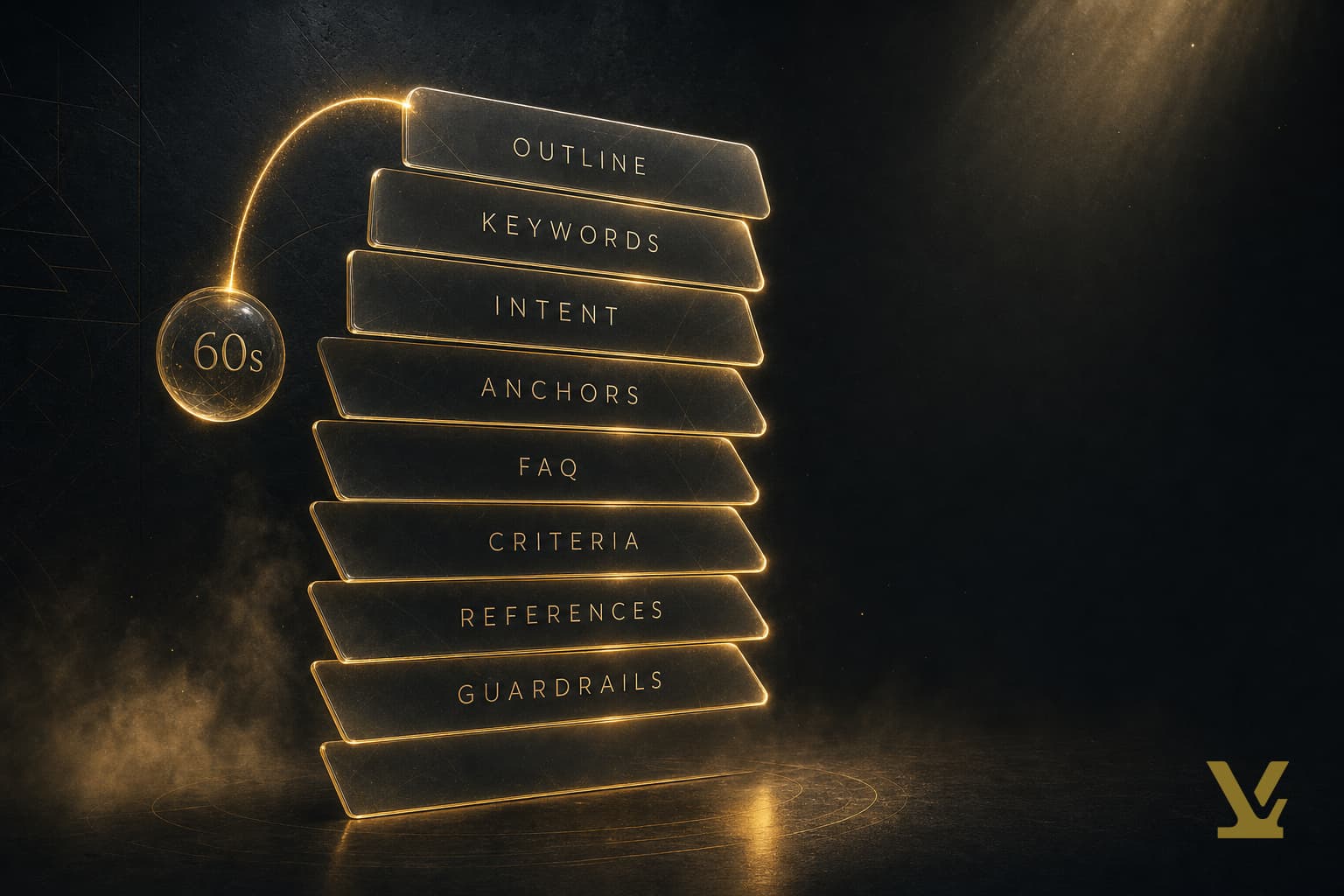
The pattern below shows how the nine workflows in this campaign map onto the four stages of an SEO content program. Each stage is a spoke article in this guide.
The seven prompts: what each one does and when to run it

The free prompt library is the load-bearing part of the free tier. Seven prompts, each tuned for one job. Run them in order the first time; run them à la carte after that. Each prompt below has a dedicated spoke article — click through when you want the long version of that workflow.
1. Expand my niche
Stage: scoping. The "Expand my niche" prompt takes one sentence about what you sell and returns a four-axis niche model — the buyer, the buying job, the format ladder, and the adjacent niches you should avoid until you own the core. Run this first. Skip it and every downstream prompt drifts.
The full workflow lives in niche research for SEO with the four-axis niche model. It is the cheapest decision in your content program — five minutes that prevents six months of writing for the wrong reader.
2. Brainstorm seed keywords
Stage: keyword research. Once your niche is scoped, the "Brainstorm seed keywords" prompt returns a five-bucket list — head terms, long-tail variants, problem-aware queries, comparison queries, and "near-miss" terms a tool like Keyword Planner misses. The buckets matter more than the volume. A 30-search-a-month long-tail beats a 30,000-search head term you cannot rank for.
The five-bucket method is documented in the free keyword research tool alternative guide. Pair it with the seed-to-high-intent keyword research pipeline to convert raw seeds into a portfolio you can plan against.
3. Decode search intent
Stage: keyword research. Search intent is the single biggest predictor of whether a piece of content ranks. The "Decode search intent" prompt scores each keyword on a four-axis intent vector — informational, navigational, commercial, transactional — and tells you which format wins the live SERP today (guide, comparison, listicle, calculator, video).
The vector method is in how to determine search intent for keywords. The deeper framework — why intent is a vector, not a label — sits in the types of search intent vector framework.
4. Audit my content gaps
Stage: gap analysis. The "Audit my content gaps" prompt takes your existing page list (or your planned content map) and returns a five-bucket gap matrix — missing topics, funnel-stage gaps, comparison content, depth gaps, quick wins. Each row carries an effort score and a priority score, so the output is a triaged backlog, not a wishlist.
The five-minute workflow lives in content gap audit free. The output is a brief input — every row is the seed of an article or an edit. If your top wins keep being "we have no comparison page," the keyword type decision tree confirms whether the comparison query is one a smaller domain can rank for.
5. Tear down a competitor
Stage: competitive intelligence. The "Tear down a competitor" prompt deconstructs one competitor URL — H2 outline, claim density, evidence chain, calls to action, internal-link structure, weak sections you can outflank. The output reads as an editorial diff between their page and the page you would ship.
The teardown method is documented in competitor page analysis for SEO. It is the prompt most readers underuse — half the time the fastest way to rank is to ship a sharper version of an existing top-three page, not invent a new topic.
6. Outline a single article
Stage: production. The "Outline a single article" prompt takes one keyword and one buyer and returns an H2/H3 outline plus a paragraph-level intent map — what each section needs to prove, in what order, and which questions it must answer. The outline is the contract between strategy and writing.
The outline method is in how to outline an SEO article. A good outline cuts editing time roughly in half. A bad outline turns a 2,000-word article into a four-revision rewrite.
7. Generate article titles
Stage: production. The "Generate article titles" prompt returns a ranked list of title candidates, each scored on click-through-rate signals (specificity, format match, keyword position) and re-ranked against the live SERP for that query. You stop A/B-guessing titles and pick the one that matches the SERP pattern.
The title-scoring method lives in the SEO article title ideas generator workflow.
The keyword-import wizard: from keyword dump to working set in two minutes

The keyword-import wizard is the second free-tier feature most readers do not know exists. Paste a keyword list from any source — a Search Console export, a Keyword Planner CSV, a Semrush keyword report you ran before downgrading, even a comma-separated paste from a Reddit thread — and the wizard normalizes it into a working set: deduplicates near-duplicates, tags by intent, and routes the result into the prompt library.
The practical use case: you have an old Semrush export from a previous job, or a spreadsheet a freelancer left you. You do not need to re-pay Semrush to use it. Drop the file in, the wizard cleans it up, and the seven prompts treat it as live input.
Once the working set is normalized, group it. Keyword clustering is the difference between writing one definitive page and writing three competing pages on the same theme — the second one is the version that loses. The clustering workflow lives in keyword clustering for content planning. Run it before you let any single keyword drive an outline.
The free brief generator: ten briefs every twenty-four hours

The brief generator is the seventh-inning stretch of the free tier. Up to ten content briefs every twenty-four hours, no rollover, no card on file. Each brief includes a title, an H2 outline, search intent classification, primary and secondary keywords, and a one-paragraph summary the writer can paste into the doc.
Ten a day is enough volume for a solo creator and most small marketing teams. The cap exists because each brief is one model round-trip — not because the rest of the tier is throttled. If you are a one-person shop pumping out one article a week, you will never hit the ceiling. If you are a content agency briefing nine writers, you will hit it some days; that is the upgrade signal.
The full brief workflow — what to put in each section, when to fall back to a manual brief, what the briefs are deliberately missing — is documented in the free content brief generator workflow. Treat the brief as a starting point, not a finished spec. Every brief still needs your buyer judgment layered on top.
Free vs paid: where the line actually sits

The only paid gate is the live-data research run — current SERP positions, real-time keyword volumes, indexed competitor pages, and recency signals pulled from search APIs. That is the only operation that costs real money on every call (third-party data fees), so it is the only operation behind a paywall. The prompt library, the keyword-import wizard, the brief generator, and unlimited projects all sit on the free side of that line. The full feature-by-feature breakdown:
- Seven-prompt library: Free. Same prompts on paid.
- Pre-filled niche, buyer, competitor context: Free. Saves once per project.
- Keyword-import wizard: Free. Unlimited imports.
- Content brief generator: Free at 10 briefs per 24 hours. Paid plans raise the cap.
- Unlimited projects: Free.
- Live SERP research runs: Paid. The only feature gated.
- Real-time keyword volumes: Paid (part of research runs).
- Competitor SERP monitoring: Paid (part of research runs).
- Team seats: Paid plans only.
- API / programmatic access: Paid plans only.
Read the table top down once. If your work lives in the first six rows, the free tier is the right answer. If your work lives in the last four, the paid tier exists for a reason. There is no "you can do 80% of it free" hedge — either your job needs research runs or it does not.
Free tier compared to SEMrush and Ahrefs free plans
The other free SEO tools you have probably tried.
- Semrush free. Strong at quick keyword discovery and a competitive snapshot of one domain — useful when you want a thirty-second sense of a market. Limited to 10 keyword overview lookups per day, capped competitor reports, no saved projects, and no content briefing on the free plan.
- Ahrefs Webmaster Tools. Best-in-class for monitoring your own site's ranking and backlink profile once you have verified ownership. Designed for first-party site analysis rather than keyword research, gap audits, or competitor work — that lives in Ahrefs Standard, which is paid.
- Ubersuggest free. Reasonable starter for one-off keyword ideas and lightweight site audits. The hard limits — three searches per day and a brief generator behind a paywall — make it a poor fit for repeated workflows.
- Surfer SEO. Strong on-page content optimization once you have an article draft. No persistent free tier — the free trial expires and the workflow then sits behind a paid plan.
The honest comparison: Semrush and Ahrefs lead on the live-data layer this guide's free tier deliberately gates — real-time SERP positions and large-scale competitor monitoring are their job. Ubersuggest and Surfer cover discrete steps (keyword ideas, on-page optimization) but throttle the workflow itself on the free plan. The free tier covered here trades the live-data layer for an unthrottled prompt library and brief generator. Pick by what your work actually requires; if you need both monitoring and unthrottled authoring, you will end up running two tools side by side.
The deeper context — what every free SEO tool actually does and where each one earns its keep — sits in free SEO tools that actually work and the best free SEO tools quick picks. Read those next if you are stack-shopping.
Do this in 30 minutes: a full free-tier content program

The end-to-end demo. Pick one niche you actually care about. Pick one buyer. Open a free project. Run the workflow below in order. At the end, you have a published-ready brief and a clear backlog.
- Minute 0–5 — Scope the niche. Run "Expand my niche" with one sentence about what you sell. Save the four-axis output. The buyer, buying job, format ladder, and adjacent-niche list are now your project context.
- Minute 5–10 — Seed the keyword set. Run "Brainstorm seed keywords." You get the five-bucket list. Drop your existing keyword export (Search Console, Keyword Planner, an old Semrush CSV) into the keyword-import wizard. Merge.
- Minute 10–15 — Score intent and audit gaps. Run "Decode search intent" against the merged set. Then run "Audit my content gaps" with your top 50 indexed pages or your planned content map. You now have a triaged gap matrix and an intent-scored keyword list side by side.
- Minute 15–20 — Tear down one competitor. Pick the top-three SERP result for your highest-priority gap. Run "Tear down a competitor" against that URL. The output is the editorial diff between their page and the one you will ship.
- Minute 20–25 — Cluster, then outline. Cluster the keyword set so each cluster maps to one article (not three). Pick the highest-priority cluster. Run "Outline a single article" against the cluster's primary keyword and your buyer line.
- Minute 25–28 — Generate titles. Run "Generate article titles." Pick the top candidate that matches the live SERP format pattern.
- Minute 28–30 — Ship the brief. Generate the content brief. The brief carries the title, outline, intent classification, primary and secondary keywords, and a writer-ready summary. You are done.
At the end of a focused half-hour you have one brief and a triaged backlog — not a full content calendar and not a guaranteed traffic outcome. Run the loop weekly for a quarter and the compounding pattern documented in how to have organic traffic, compounding vs bleeding becomes possible, but the lift still depends on writing quality, distribution, and the niche you picked in step one. The workflow gives you a reliable starting point; the rest is the work.
What the free workflow can't do
Every workflow in this guide is bounded by what a language model trained months ago can infer from the context you give it. There is no live SERP fetch, no aggregate demand data, no competitor page-body analysis on the free side of the line — those are paid pipelines. Listing the limits per prompt below is the honest pass; it tells you exactly where the free tier earns its keep and where the ceiling sits.
Limits, prompt by prompt
- Niche expansion. The model proposes personas and sub-niches from training data alone — there is no real customer signal, no demand validation, and a knowledge cutoff that misses anything that emerged in the last several months. Treat the output as a structured starting hypothesis, not market truth.
- Brainstorm seed keywords. You will get roughly sixty keyword ideas, but zero of them carry validated search volume or click data. There is no SERP signal behind any term, and the list is bounded by what fits in a single context window.
- Decode search intent. The model cannot see live SERPs, so intent classification is inferred from how the phrase reads, not from who is actually ranking. You work one keyword at a time, and recent intent shifts in the last six to twelve months are invisible.
- Audit my content gaps. The crawl gives the model URLs and titles only — never page bodies — and caps at roughly fifty to one hundred pages. Gaps surface as the model's intuition about what a competitor in your niche probably covers, not a demand-grounded comparison against ranked queries.
- Tear down a competitor. The model cannot fetch the URL, so the teardown leans on what it remembers about the domain plus what your prompt encodes. One URL at a time, no SERP context, no authority or backlink signal — useful for hypotheses, not for a competitive moat.
- Outline a single article. Outlines are generic to the niche rather than grounded in what is currently ranking for the target query. No SERP-derived headings, no real internal links from your sitemap, no FAQ pulled from actual people-also-ask data.
- Generate article titles. Titles are well-crafted guesses with no CTR data behind them and no tie to a demand-validated cluster. Good for ideation; not a substitute for testing real headlines against real impressions.
- Keyword import wizard. Caps at roughly five hundred keywords per import and requires a manual round-trip through your tool of choice to get the list. Clustering quality depends on the model, and there is still no SERP grounding behind any of the imported terms.
- Brief generator. Same agent that powers paid briefs, but free runs see only the article title and your niche definition — no SERP-derived target queries, no real competitor weaknesses pulled from analyzed pages, no internal-link suggestions backed by your real sitemap. Capped at ten briefs every twenty-four hours.
Why this is unavoidable
Live SERP fetches, aggregate keyword volumes, and competitor page-body analysis carry per-call third-party data fees. A tier that ships those for free either burns money on every signup or quietly throttles the service until the ceiling is invisible. Naming the limits explicitly is the alternative — it tells you when the free tier is the right answer and when it stops being one, with no sleight of hand in between.
The upgrade ladder
Three tiers above the free plan, each tuned to a different cadence. The framing below is descriptive — what each tier unlocks and at what cadence — not a sales pitch.
- Free tier. Niche structuring, sitemap crawl, the full prompt library, the keyword-import wizard, and ten briefs per twenty-four hours. You can plan a real content calendar without paying — every output is bounded by your own input plus the model's training data.
- Forge Starter. One deep research run per project. That single run fetches ten thousand or more keywords from a search-data API, runs SERP analysis on the top results, evaluates real competitor pages, and builds topic clusters with embeddings and opportunity scoring. From that point on, briefs are SERP-grounded — real target queries, real competitor weaknesses, real internal links from your sitemap — and the ten-per-day brief cap is lifted.
- Forge Pro and Master. Re-run cadence (five runs per month on Pro, twenty-five on Master), persistent curation that survives across re-runs, MCP integration for AI-agent workflows, and a cross-project home dashboard. Designed for someone running multiple projects or refreshing strategy monthly.
When to upgrade (the honest test)
The honest test is not "can you afford it" — it is "are you hitting the ceiling weekly?" If the ten-brief cap keeps blocking you, or every brief feels like it is missing the SERP grounding to be confident, that is the signal. If you are still exploring whether this niche is worth pursuing at all, stay on the free tier; the prompt library and import wizard are designed to take you all the way through that decision. Upgrade once and stay; do not upgrade early and churn.
How VarynForge fits in: the VarynForge free tier in one product
Every workflow in this guide ships inside VarynForge as one product. The seven prompts come pre-filled with your niche, buyer, and competitor context — you write that context once per project and it carries into every prompt automatically. The keyword-import wizard accepts any CSV or paste. The brief generator runs at ten briefs every twenty-four hours, free, with no card on file. Unlimited projects, unlimited prompt runs, no two-week timer. The only paid gate is the live-data research run, which most solo creators and small teams never need. Create a free VarynForge project and the seven prompts are loaded with your context before you write your first article — two minutes from sign-up to your first content brief.
Frequently Asked Questions
Is the VarynForge free tier really free, or is it a 14-day trial in disguise?
Free forever. No card required at sign-up, no expiring trial timer, no upgrade prompt blocking core features. The seven prompts, the keyword-import wizard, the brief generator at ten per twenty-four hours, and unlimited projects sit on the free side of the line and stay there. The only paid feature is the live-data research run.
What do I lose if I never upgrade to a paid plan?
Live SERP positions, real-time keyword volumes, automated competitor monitoring, team seats, and API access. If your job does not depend on those, you do not lose anything. Most solo creators, freelance writers, and small in-house teams ship a full content program on the free tier without ever upgrading.
How is the brief generator different from asking ChatGPT for a content brief?
Two differences. First, the brief generator carries your project's niche, buyer, and competitor context into every brief — you do not re-paste a 200-word system prompt every time. Second, the output is a structured brief shape (title, H2 outline, intent classification, primary and secondary keywords, summary) rather than freeform prose. ChatGPT can produce the same fields if you prompt it well; the difference is that you stop having to.
Can I run multiple clients on one free account?
Yes. Free accounts get unlimited projects. Run one project per client. Each project has its own niche, buyer, competitor list, and prompt context — no cross-contamination.
What happens if I hit the ten-brief daily cap?
The brief generator pauses for the rest of the rolling twenty-four-hour window, then resets. The seven prompts and the keyword-import wizard keep working. If you need more than ten briefs a day on a recurring basis, that is the genuine upgrade signal.
Do I need any other SEO tool alongside the free tier?
A live data tool is useful if you want real-time SERP tracking — Semrush, Ahrefs, or even free Google Search Console for your own pages. The free tier covered here handles the strategy and authoring side; pair it with one live-data source if you need monitoring. The full picture is in best SEO tools for creators and small teams in 2026.
Key Takeaways
The VarynForge free tier covers strategy, research, and authoring end to end: a niche-aware prompt library, a keyword-import wizard that normalizes any keyword dump, a brief generator capped at ten briefs every twenty-four hours, and unlimited projects. The only paid gate is the live-data research run — current SERP positions, real-time keyword volumes, and large-scale competitor monitoring. The honest test for whether the free tier is enough is the work you actually do: solo creators, freelance writers, and small in-house teams generally fit inside the free side of the line; agencies running weekly SERP monitoring across many domains will hit the paid gate. The thirty-minute end-to-end demo above shows what one focused session looks like; the compounding result still depends on writing quality and distribution.
Further Reading
- Niche Research for SEO: The Four-Axis Niche Model
- Free Keyword Research Tool Alternative: A Five-Bucket ChatGPT Prompt
- How to Determine Search Intent for Keywords (5-Minute Method)
- Content Gap Audit Free: A 5-Minute Workflow With No Paid Tools
- Competitor Page Analysis for SEO: A Teardown Method
- How to Outline an SEO Article (the Production-Grade Method)
- SEO Article Title Ideas Generator: A Free, Repeatable Workflow
- Keyword Clustering for Content Planning: Free Workflow
- Content Brief Generator Free: A 10-Minute Workflow That Ships
- Best Content Strategy Tools for Faster Briefs and Outlines
Sources
- Google Search Central — Creating helpful, reliable, people-first content
- Google Search Central — official SEO documentation
- Google Search Console — first-party query and ranking data
- VarynForge — Keyword Research for SEO: From Seed Terms to High-Intent Targets
- VarynForge — Types of Search Intent: A Vector Framework for Content Teams
- VarynForge — Best SEO Tools for Creators and Small Teams in 2026
For more on SEO pricing models and 2026 budget ranges, see our guide to how much SEO actually costs.
Frequently asked questions
What is the VarynForge free tier?
The VarynForge free tier is a complete SEO content workshop, not a trial. It includes nine workflows that compose into a working program from niche definition through writer-ready brief: niche research, keyword expansion, intent classification, content gap audit, keyword clustering, competitor teardown, article outline, title generation, and brief assembly. Each workflow is unlimited at the free tier. The only paid gate is live-data research runs, which require a paid plan because they pull external real-time data. Operators can plan, brief, and ship a full content program on the free tier without paying.
What is unlimited on the VarynForge free tier?
All nine free-tier workflows are unlimited in usage count. Niche research, keyword expansion, search intent classification, content gap audits, keyword clustering, competitor teardowns, article outlines, title generation, and brief assembly run as many times as the operator wants without rate limits or row caps. The article frames this as the structural difference from paid SEO platforms, which gate the highest-value workflows behind row counts and credit budgets. The free tier is positioned as a complete content program, with the paid tier reserved for live-data research that the free workflows do not need.
What is gated behind the paid plan?
Live-data research runs. These are the workflows that pull current external data, including fresh SERP snapshots, real-time keyword volume reads, and competitor live-page diffs. The article is explicit that the gate is not arbitrary: live-data runs cost real money to execute because they hit external APIs and live web sources. Everything that can be done with the operator's existing inputs (niche definition, persona list, competitor URLs, existing content) is on the free tier. The article frames this as a fair line to draw and explains why most teams ship on the free tier and only pay when they need ground-truth data.
How does the VarynForge free tier compare to Semrush and Ahrefs free tiers?
The VarynForge free tier covers the strategic and brief layers that Semrush and Ahrefs free tiers gate behind paid plans. Semrush and Ahrefs free tiers cap rows on keyword research and lock content gap analysis, brief generation, and competitor teardown. The VarynForge free tier ships those workflows unlimited and reserves only live-data research for paid plans. The article frames the comparison as a different design choice rather than a like-for-like feature match. Operators who need ground-truth data still need a paid SEO tool. Operators who need a content program can run it for free here.
Can I run a complete content program on the free tier?
Yes. The article walks through the nine workflows in order and shows how they compose into an end-to-end program: niche research defines the boundary, keyword expansion fills the demand list, intent classification labels each term, the gap audit names what is missing, clustering groups keywords into briefs, the competitor teardown sharpens the angle, the outline builds the skeleton, the title generator picks the angle, and the brief generator assembles the writer-ready document. Operators can publish a complete cluster from inside the free tier, then upgrade only when they need fresh external data to validate assumptions.